Hear text without changing apps
Select copyable English text in most Windows applications and press Ctrl+Alt+P for quick playback.
Select English text in most Windows apps and press Ctrl+Alt+P to hear it instantly. Record yourself to get an instant practice score and feedback on words to review.
Free download via Lemon Squeezy. No subscription. No Pronunciation Coach account is required inside the app.
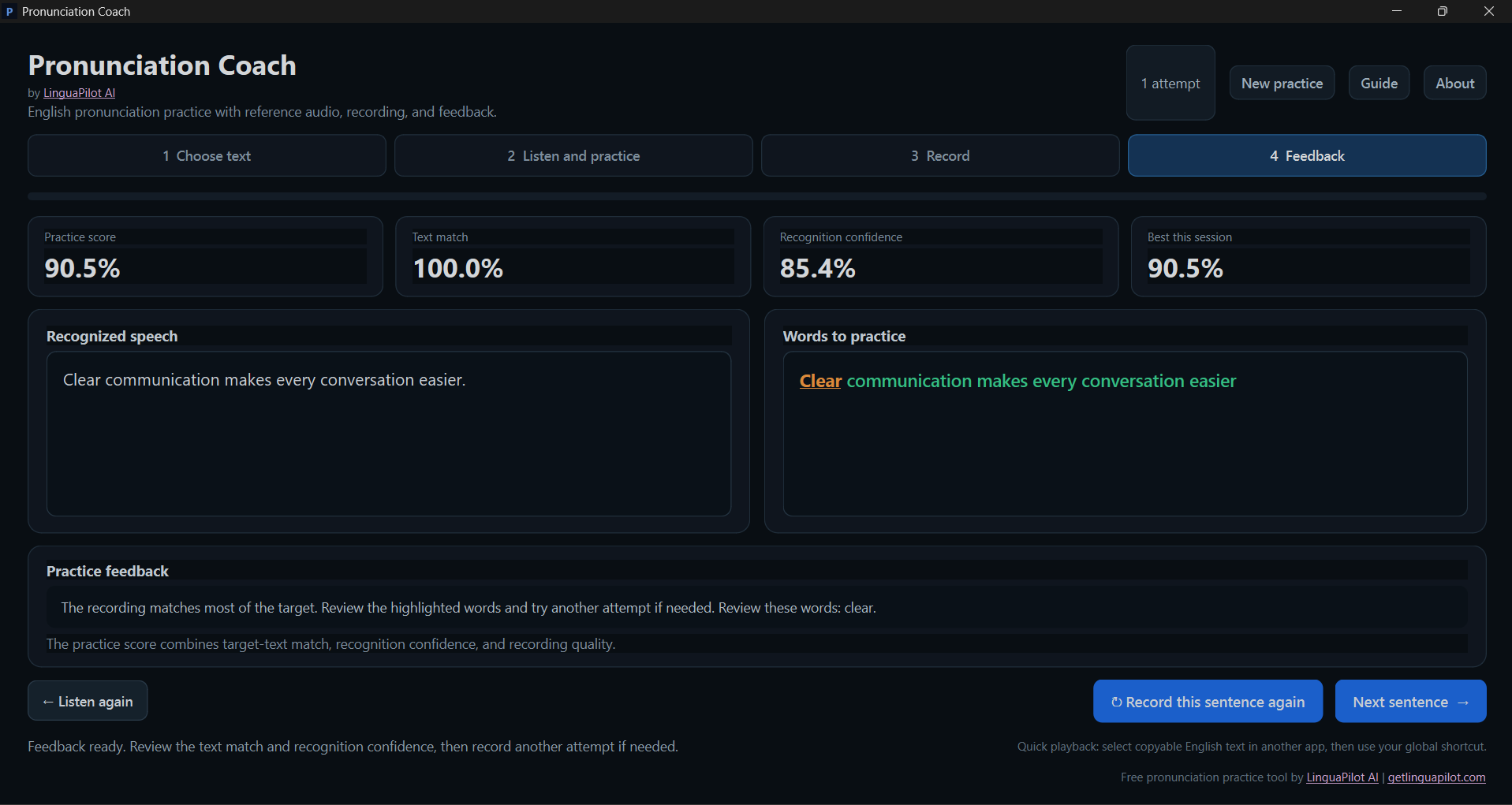
Pronunciation Coach is a free English pronunciation practice app for Windows 10 and 11. Instead of forcing you into a fixed lesson list, it lets you use your own sentences from emails, presentations, documents, websites and other copyable text.
Select copyable English text in most Windows applications and press Ctrl+Alt+P for quick playback.
Use the full coach to hear a reference, adjust playback speed, record yourself and repeat the sentence as many times as needed.
Review a practice score, text match, recognition confidence and words that may deserve another attempt.
Use a short sentence for focused practice, or paste longer English text and choose the sentence you want to work on.
Type or paste the text you want to practise. Longer text is divided into sentences so you can work on one sentence at a time.
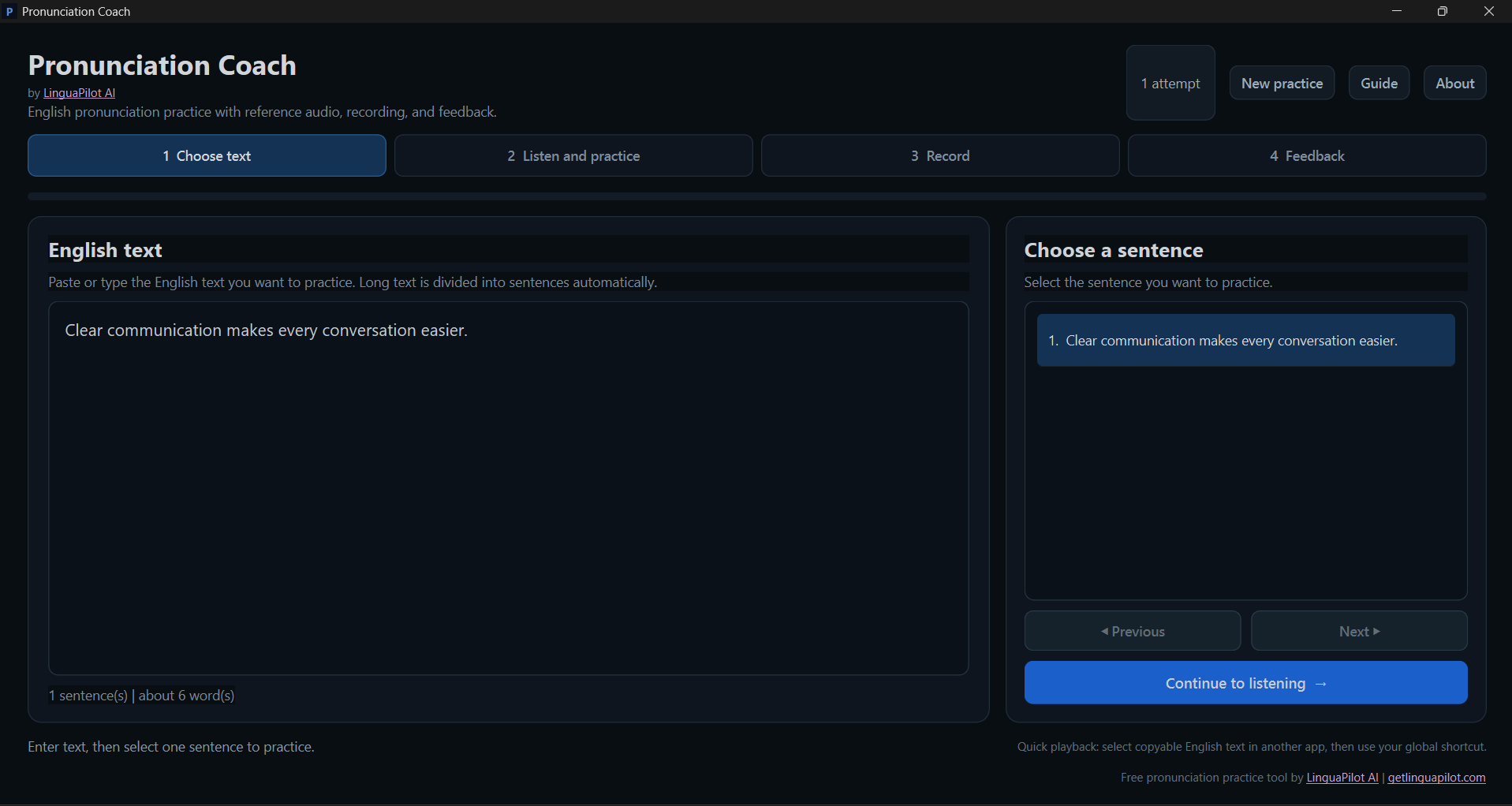
Play the reference pronunciation, slow it down when needed and repeat the sentence before recording yourself.
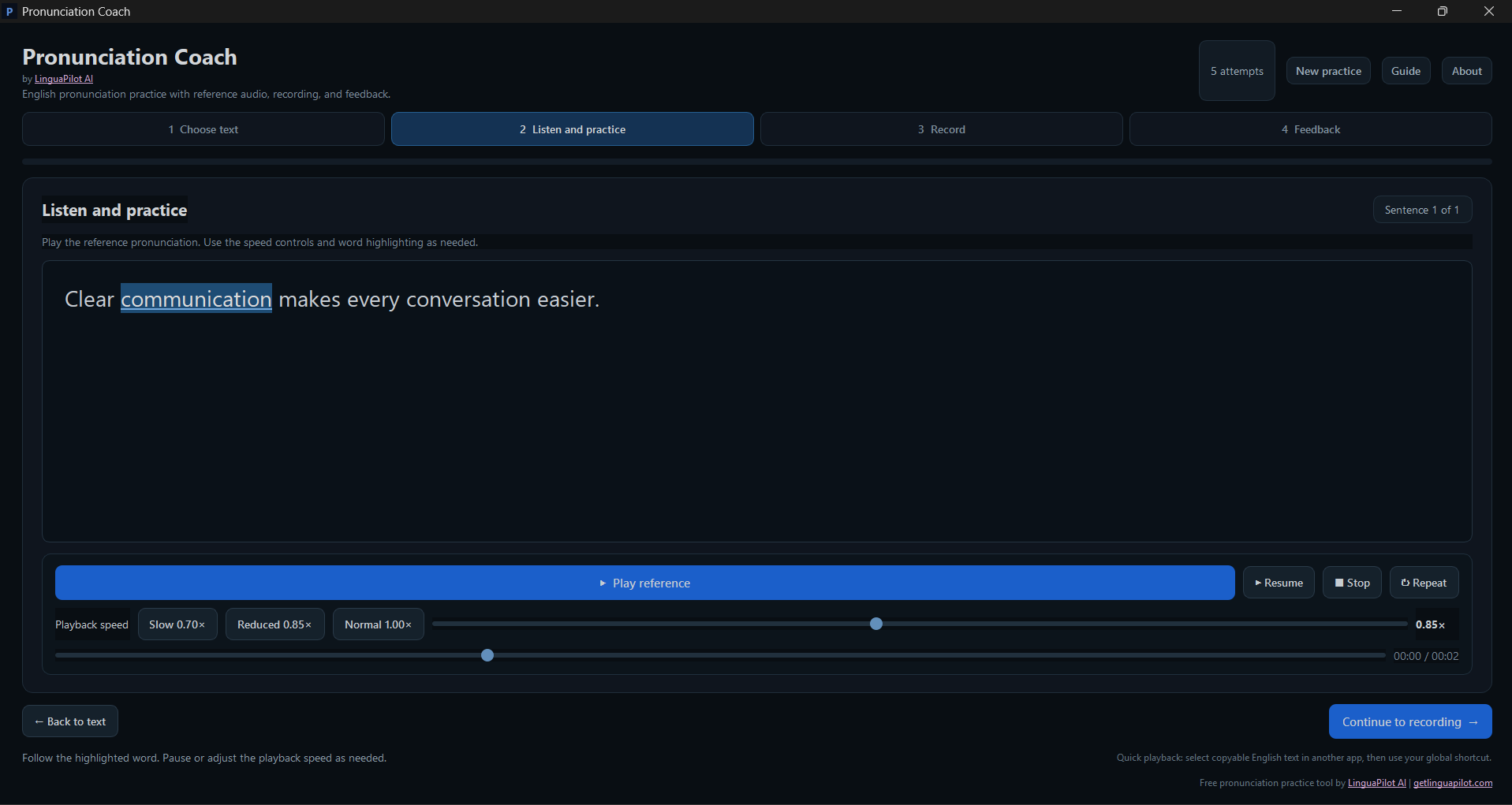
Select your microphone, record the complete sentence and play your recording back before asking the coach to analyse it.
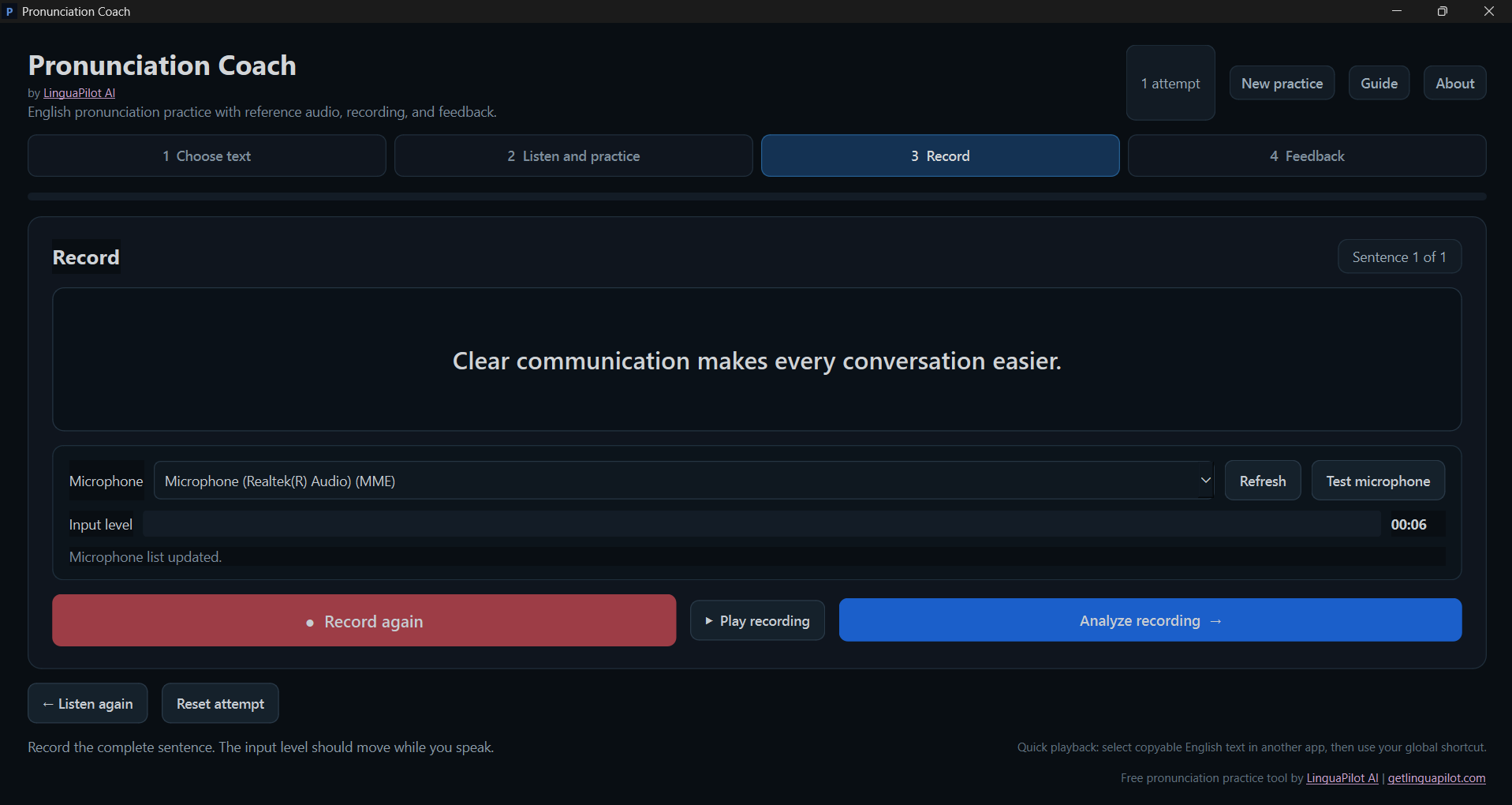
See what the speech recognizer understood, review your practice score and focus on highlighted words before recording another attempt.
The score is designed as a practical speaking aid, not as a laboratory phoneme exam. It combines several signals to help you decide whether a sentence deserves another attempt.
How closely the recognized words match the sentence you intended to say.
How confidently the local speech recognizer understood the recorded words.
Basic signal checks help avoid treating very weak or problematic recordings as strong attempts.
Core reference playback, recording and speech analysis run locally after installation. The app does not require a Pronunciation Coach account for daily practice.
Rehearse sentences you expect to use in professional conversations.
Listen to difficult lines and practise them before presenting.
Select a sentence you wrote and hear how it sounds before saying it aloud.
Quick playback can work with text that the Windows application allows you to select and copy.
Yes. Pronunciation Coach is offered as a 100% free Windows tool by LinguaPilot AI, with no subscription required for the app.
It is designed for most Windows applications where English text can be selected and copied. Some protected documents, elevated applications or unusual clipboard workflows can prevent quick playback from capturing the selected text.
Yes, when the PDF contains selectable, copyable text and the PDF viewer allows copying. Scanned image-only PDFs may need OCR first, and protected PDFs can restrict copying.
No. The current practice score combines target-text match, speech-recognition confidence and recording quality. It is intended for intelligibility practice and repeated attempts, not phoneme-level accent certification.
Core playback, recording and speech analysis are designed to run locally after installation. The download itself is delivered through Lemon Squeezy.
Pronunciation Coach is designed for Windows 10 and Windows 11.
Download Pronunciation Coach for Windows and use it with the sentences you already read, write and need to say.
LinguaPilot AI is an AI writing coach for Windows that corrects, rewrites and explains your text inside the apps you already use, with local Ollama mode or optional cloud AI.